Sections menu
Boeing 737-800 NG · Cockpit panel
Live cockpit panel
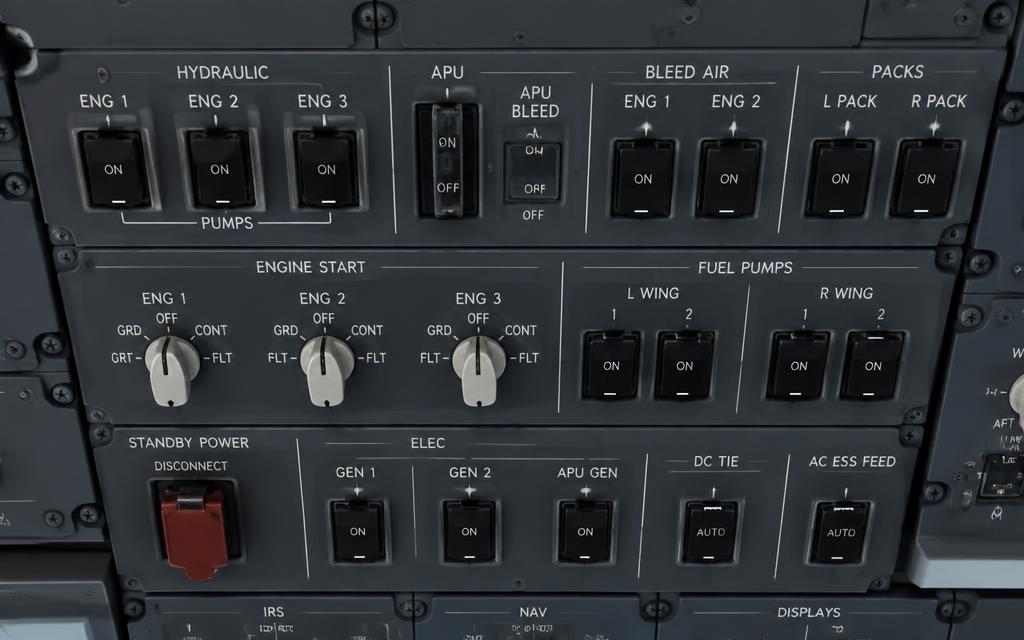
Click a switch, knob or pushbutton to move it. The panel on the right explains every position, and the lights at the top react like the real ones. Simplified teaching logic — not a certified simulator.
Forward overhead panel (P5)
Forward overhead — electrical, APU, fuel, start
Boeing uses toggle switches and blue/amber lights. Blue = status (e.g. a valve open, a source available); amber = fault. Try: BATTERY ON, APU START then ON, APU GEN, fuel pumps, then engine start switch to GRD.
Guided task
- 01BATTERY ON (guard closed).
- 02APU START, then release to ON.
- 03APU ON — wait for APU GEN OFF BUS.
- 04APU GEN switches ON.
- 05APU BLEED ON.
- 06Fuel pumps ON.
The control for the next step pulses amber on the panel.
Electrical
APU
Fuel pumps
Engine start
Teaching logic: APU START (with BATTERY on) marks the APU as running.
EDUCATIONAL USE ONLY. Content is summarised from manufacturer documentation for learning. It is not approved flight or maintenance data. Always use the current, aircraft-specific POH/AFM, FCOM, QRH, AMM and operator procedures.