
Back to dashboard
Sections menu

Airbus H145 (BK117 D-2) · Maintenance

Maintenance & fault isolation

Inspection programme by ATA chapter and step-by-step troubleshooting trees, in the style of an AMM / FIM.

Unverified — check your manualText on this page is written from general knowledge. Figures marked ✓ are checked against official FAA/EASA data.See verified data

Inspection programme

WhereIntervalATATaskReference
Sliding cabin door and fuselage side
Each flight05Pre-flight walkaround: main rotor blades, Fenestron, skids, fluid levelsH145 RFM Section 4
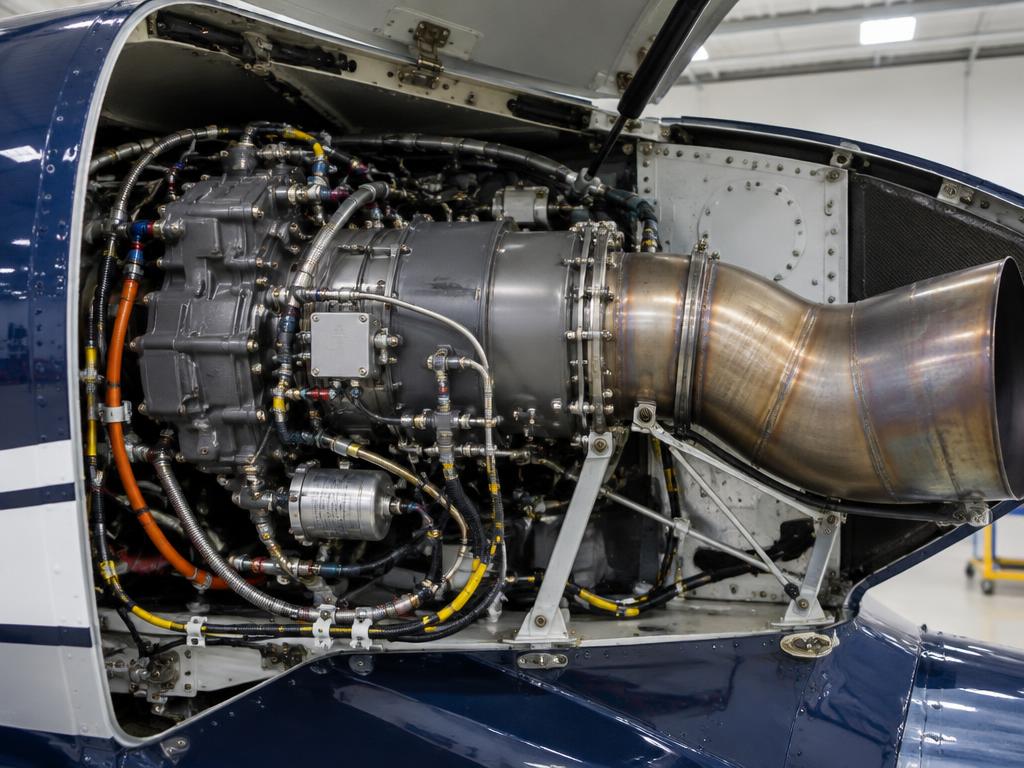
Arriel 2E installation
Daily / before first flight71-79Engine FADEC fault history check, fuel and oil levelsAMM Chapter 71-79
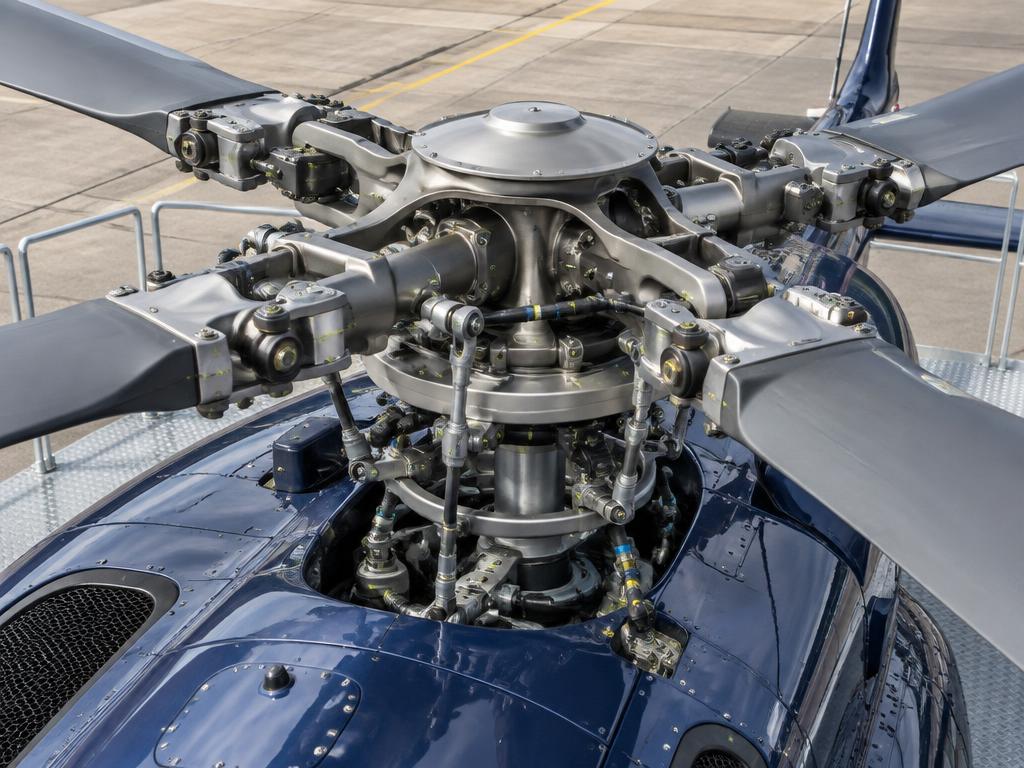
Hingeless main rotor head and blade roots
Scheduled (HUMS-monitored)62Main rotor blade and bearingless flexure inspection (visual/NDT)AMM Chapter 62
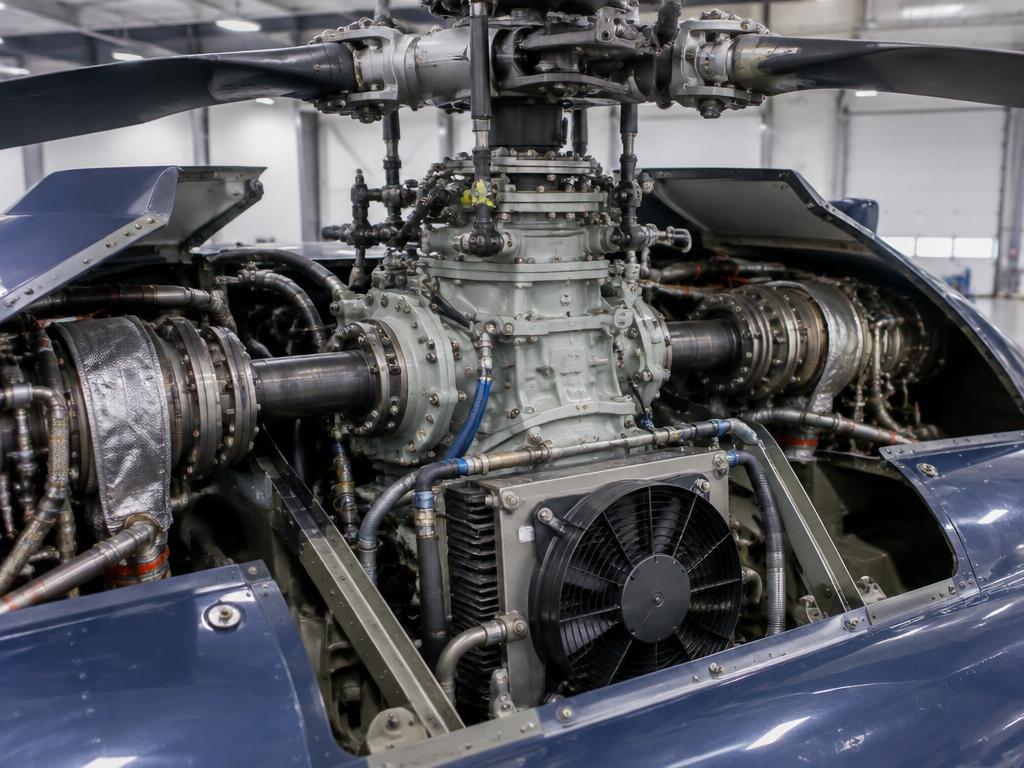
Main gearbox with oil cooler fan and engine input shafts
Scheduled63Main gearbox oil, chip detectors and vibration (HUMS) monitoringAMM Chapter 63
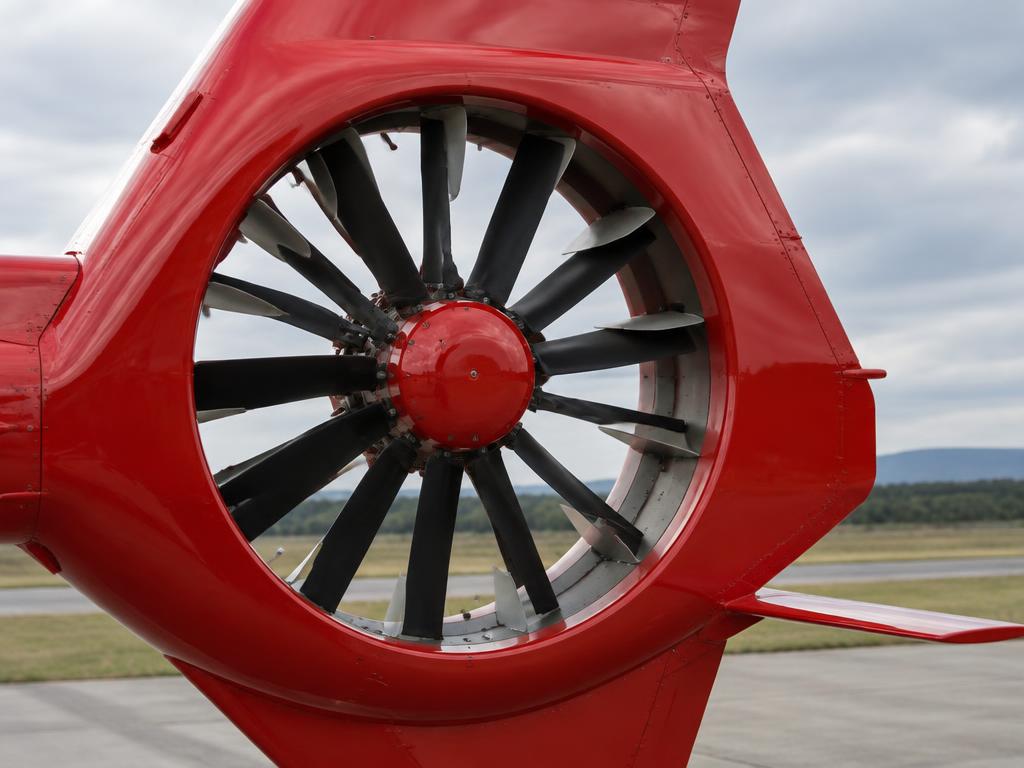
Fenestron shrouded tail rotor
Scheduled64Fenestron blade and duct inspectionAMM Chapter 64
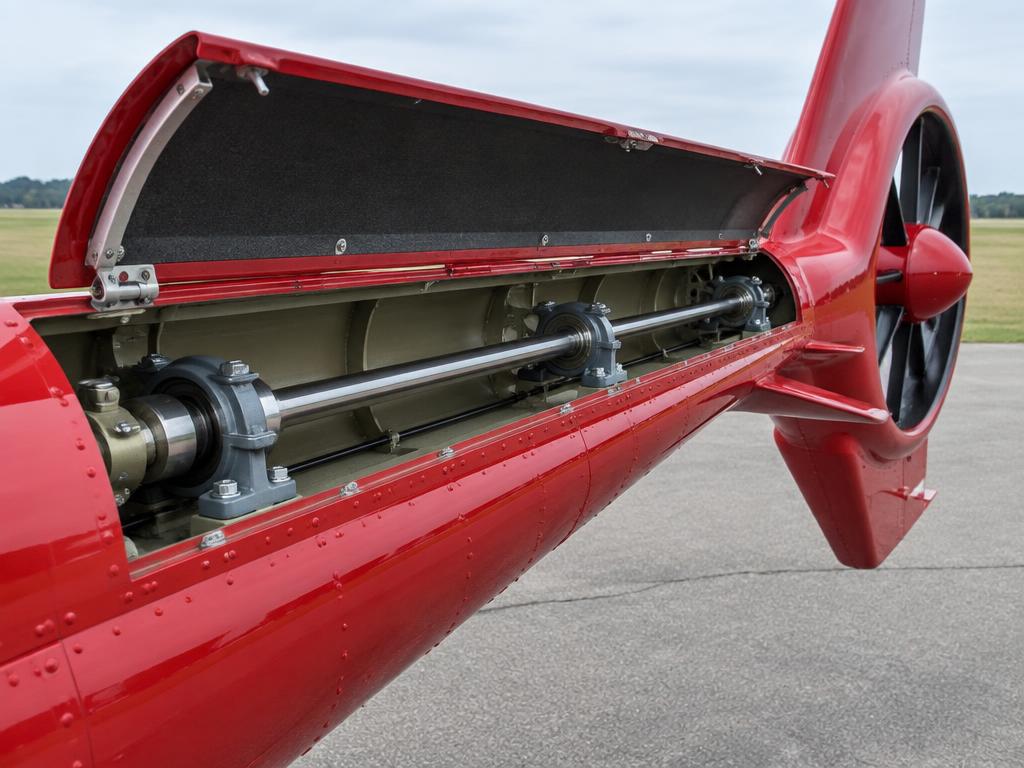
Tail rotor drive shaft and hanger bearings in the boom
Scheduled65Tail rotor drive shaft, couplings and tail gearbox checkAMM Chapter 65
Swashplate and servo actuators
Scheduled67Flight control servo actuator and swashplate rigging checkAMM Chapter 67
Arriel 2E installation
On condition71-79Engine hot-section borescope inspectionSafran Arriel 2E Engine Manual
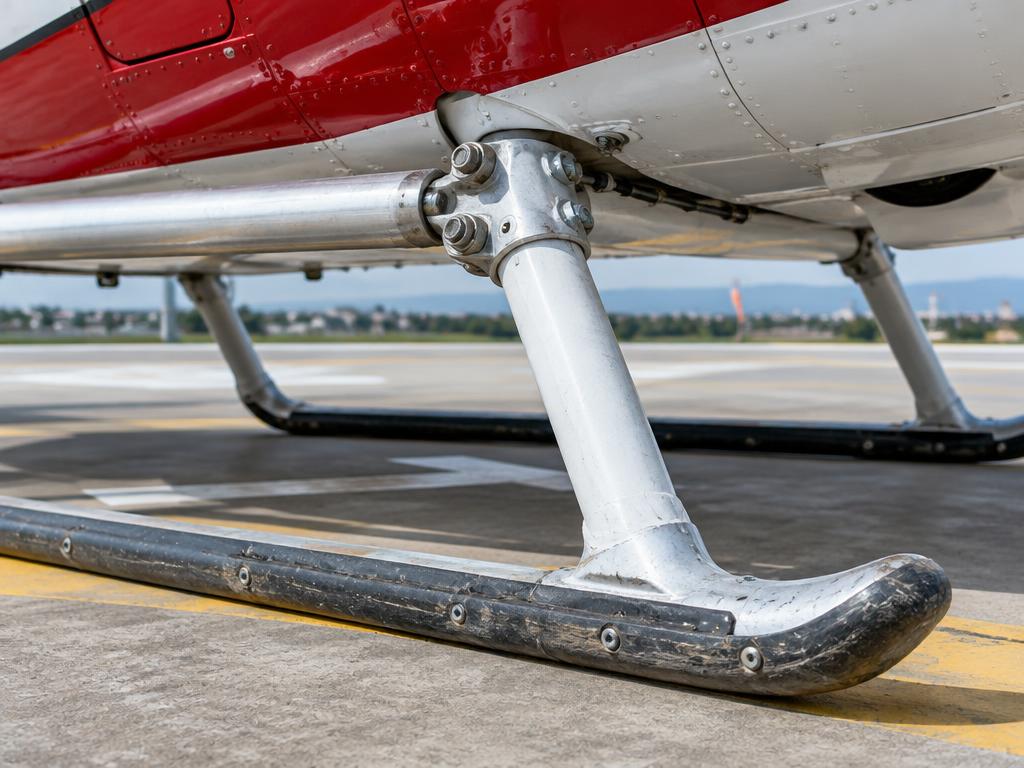
Skid gear: cross tube, skid tube and wear shoes
Scheduled32Skid tube, cross-tube and skid shoe wear inspectionAMM Chapter 32
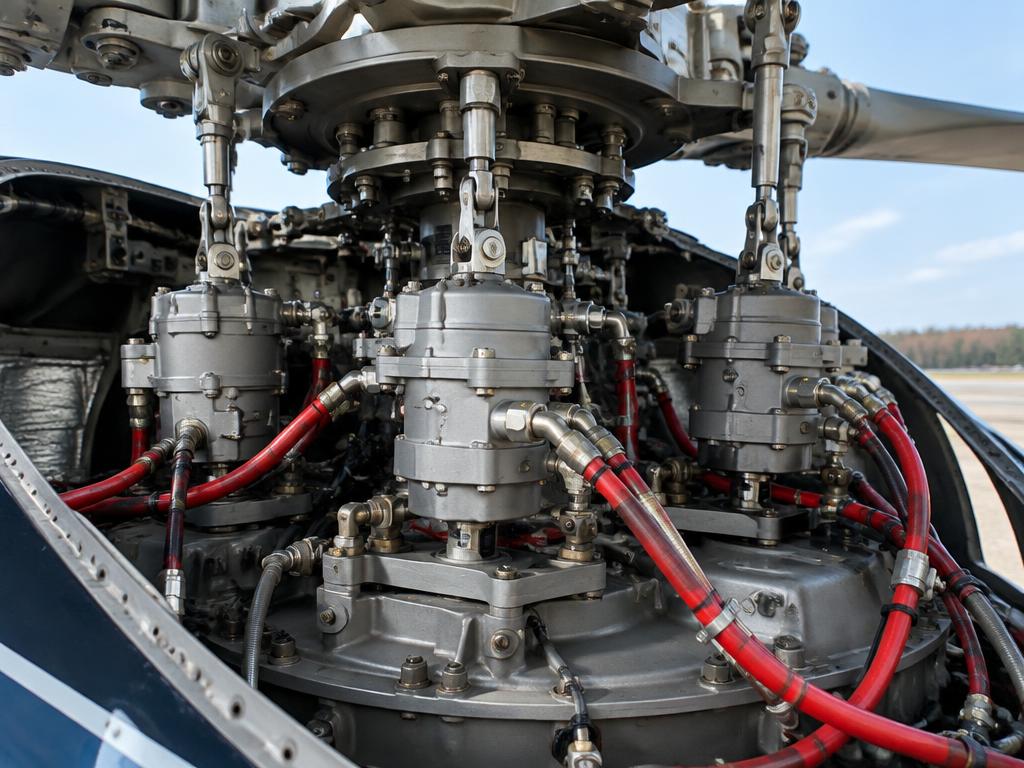
Main rotor servo actuators below the swashplate
Scheduled29Hydraulic system 1 & 2 reservoir, filter and pressure checksAMM Chapter 29

Task cards

Step-by-step maintenance tasks with access, tools, limits and warnings — in the style of an AMM task card.

Main battery inspection & capacity check

ATA 24 · Per AMM interval (and daily voltage/temperature check)

Access · Battery compartment access panel

Tools & materials · Digital multimeter · Battery capacity tester · Terminal cleaning kit · Torque wrench

Warning · A NiCd battery with rising temperature or falling voltage trend can indicate incipient thermal runaway — do not return a suspect battery to service without shop test.

  1. 1.Battery master OFF; disconnect battery per AMM sequence (negative first on removal).
  2. 2.Inspect the battery box for corrosion/electrolyte residue; clean and neutralise as required.
  3. 3.Check terminal condition, inter-cell connections (NiCd) and vent/drain paths are clear.
  4. 4.Perform or schedule a capacity check per AMM interval; check individual cell voltages if applicable.
  5. 5.Reinstall and reconnect per AMM sequence, torque terminals, verify no BATT FAULT caution on power-up.
CapacityReplace/refurbish below AMM-specified percentage of rated capacity
Cell voltage spread (NiCd)Per AMM acceptance limits

Ref: H145 AMM 24-30-00

Fuel filter inspection & bypass indicator check

ATA 28 · Per AMM interval and whenever bypass indicator shows popped

Access · Fuel filter housing, each engine supply line

Tools & materials · Filter wrench · New O-rings/seals · Fuel sample container

Warning · A popped bypass indicator means fuel has been flowing unfiltered to the engine — do not clear the indication without inspecting and, if needed, replacing the element.

  1. 1.Confirm fuel shutoff valve CLOSED for the line being serviced; relieve any residual pressure per AMM.
  2. 2.Remove the filter bowl/element and inspect the bypass (clog) indicator button position.
  3. 3.Inspect the filter element for contamination (water, debris, microbial growth); clean the bowl.
  4. 4.Install a new element/seals as required; reinstall and torque per AMM.
  5. 5.Reopen the shutoff valve, run an engine or boost pump per AMM to check for leaks and confirm the bypass indicator resets.
Bypass indicatorMust be reset (not popped) before return to service
ContaminationNo free water or debris after servicing

Ref: H145 AMM 28-20-00

Hydraulic reservoir level check (System 1 & 2)

ATA 29 · Daily / before first flight

Access · Hydraulic reservoirs, upper fuselage/MGB deck

Tools & materials · Flashlight · Approved hydraulic fluid

Warning · Never mix hydraulic fluid types — contamination can damage seals across both systems.

  1. 1.With the system in the depressurised/ground state specified by the AMM, read each reservoir's sight gauge or electrical level indication.
  2. 2.Compare to the minimum mark for System 1 and System 2 independently — do not assume one reading applies to both.
  3. 3.Top up with approved fluid if below minimum; do not mix fluid types.
  4. 4.Check for external leaks at reservoir fittings, lines and servo-actuators.
  5. 5.Record readings; investigate any system showing a trend of fluid loss.
Minimum reservoir levelPer AMM sight gauge/sensor mark, each system independently

Ref: H145 AMM 29-00-00

Skid landing gear inspection

ATA 32 · Daily/preflight visual, detailed per AMM interval

Access · Skid tubes, cross tubes, ground

Tools & materials · Flashlight · Inspection mirror · Torque wrench for attachment fittings

Warning · Any suspected hard or hard-side landing requires the AMM hard-landing inspection before further flight, even if the skid gear looks superficially normal.

  1. 1.Visually inspect skid tubes for dents, scoring, abrasion from ground contact, and corrosion.
  2. 2.Inspect cross tube attachment fittings to the fuselage for cracking, loose fasteners, and correct torque striping.
  3. 3.Check ground-handling wheel attachment points (if fitted) and any skid shoes/wear plates for wear.
  4. 4.Inspect for signs of a hard landing (cross tube bowing, fuselage skin wrinkling near attachments) and cross-reference with any hard-landing inspection requirement.
  5. 5.Record findings; defer per AMM damage limits or escalate to a hard-landing inspection if indicated.
Skid tube dents/scoringPer AMM damage limit chart
Cross tube deformationNone allowed beyond AMM limits — triggers hard-landing inspection

Ref: H145 AMM 32-00-00

Main rotor blade inspection

ATA 62 · Daily/preflight visual, detailed per AMM interval

Access · Main rotor blades, ground, rotor stopped

Tools & materials · Flashlight · Inspection mirror · Blade damage limit chart

Warning · Never rotate the rotor by hand to inspect a blade without confirming engines are shut down and all ignition/battery switches are set per the AMM ground-handling procedure.

  1. 1.Visually inspect each blade leading edge erosion strip for nicks, disbonding and lightning strike damage.
  2. 2.Check blade skin for delamination, cracking, or impact damage, especially near the root flexbeam area.
  3. 3.Inspect tip cap and balance weights for security.
  4. 4.Check drain holes (if fitted) are clear.
  5. 5.Compare any damage found against the AMM blade damage limit chart; record and defer or repair as required.
Leading edge erosionPer AMM blade damage limit chart
DelaminationNone beyond chart limits without repair

Ref: H145 AMM 62-10-00

Main gearbox oil level & chip detector check

ATA 63 · Daily / before first flight

Access · MGB access panel, upper fuselage

Tools & materials · Flashlight · Chip detector removal tool · Clean lint-free cloth

Warning · A persistent or repeat chip indication is a flight-safety item — do not dispatch without following the AMM/RFM fault isolation procedure.

  1. 1.Check MGB oil sight gauge/level sensor reading against minimum mark.
  2. 2.Remove each chip detector plug per AMM; inspect for metal particles.
  3. 3.If debris found, identify material (ferrous/non-ferrous) and compare against AMM acceptance criteria.
  4. 4.Reinstall plug with new seal, torque and safety per AMM.
  5. 5.Record findings; escalate per AMM if chips exceed limits.
Minimum oil levelPer AMM sight gauge/sensor
Chip detector debrisPer AMM acceptance limits — any significant metal is cause for investigation

Ref: H145 AMM 63-21-00

Fenestron blade inspection

ATA 64 · Daily/preflight visual, detailed per AMM interval

Access · Tail fin Fenestron duct, ground

Tools & materials · Flashlight · Inspection mirror · Torque wrench for access panels

Warning · Keep hands and tools clear of the duct interior until it is confirmed the rotors cannot be moved — residual rotation energy and inadvertent engagement are hazards.

  1. 1.Remove/open the fin access panel as required for the inspection level.
  2. 2.Visually inspect each Fenestron blade for leading-edge erosion, impact damage, and pitch-horn security.
  3. 3.Check the duct/shroud interior for cracks, delamination and foreign object debris between blades and duct wall.
  4. 4.Check blade pitch-change spider and linkages for play and correct lubrication.
  5. 5.Close and secure panels; record findings.
Blade damagePer AMM Fenestron blade damage limit chart
Duct clearancePer AMM, verify no blade-to-duct contact marks

Ref: H145 AMM 64-10-00

Tail rotor drive shaft hanger bearing check

ATA 65 · Per AMM scheduled interval (and on vibration/noise report)

Access · Tail boom access panels along drive shaft run

Tools & materials · Flashlight · Bearing play-check tooling per AMM · Torque wrench

Warning · A worn or failed hanger bearing can lead to drive shaft whip and eventual loss of tail rotor (anti-torque) drive — treat findings outside limits as a no-go item.

  1. 1.Open tail boom access panels along the length of the tail rotor drive shaft.
  2. 2.Check each hanger bearing support for security, cracking of the mount, and excess radial play in the bearing.
  3. 3.Inspect drive shaft couplings for correct alignment and fretting/wear at splines or flexible couplings.
  4. 4.Check for oil/grease leakage or lack of lubrication at bearings requiring it.
  5. 5.Reinstall panels; run engines/rotors per AMM and check for abnormal drive-line noise or vibration if a bearing was serviced.
Hanger bearing playPer AMM maximum radial play limit
Coupling fretting/wearPer AMM acceptance criteria

Ref: H145 AMM 65-20-00

Engine compressor wash

ATA 72 · Per AMM interval or after operation in salt/sand/contaminated environments

Access · Engine air intake, ground, engine cold or per AMM procedure

Tools & materials · Approved compressor wash fluid/kit · Wash rig/sprayer · Demineralised water for rinse

Warning · Skipping the clean-water rinse can leave corrosive residue in the compressor — always complete the full wash-and-rinse cycle.

  1. 1.Confirm engine condition per AMM (cold motoring wash or running wash as specified for the Arriel 2E).
  2. 2.Protect electrical connectors/sensitive components per AMM masking instructions.
  3. 3.Introduce approved wash fluid into the intake while motoring the engine (starter, no fuel/ignition) per the AMM cycle.
  4. 4.Follow with a clean water rinse cycle to remove residual detergent.
  5. 5.Motor/dry per AMM before the next engine start; perform a ground run and check parameters (NG, TOT, TRQ trend) afterward.
Wash fluidOnly AMM-approved compressor wash fluid
Post-wash ground runConfirm normal engine parameters before return to service

Ref: H145 AMM 72-00-00 / Arriel 2E engine manual

Engine oil level check (daily/preflight)

ATA 79 · Daily / before first flight

Access · Engine cowling open, each engine

Tools & materials · Flashlight · Approved oil (per AMM)

Warning · Hot oil can cause burns; allow proper cool-down before opening the cowl.

  1. 1.Engine shut down, allow oil to settle per AMM wait time.
  2. 2.Open the engine cowl and read the sight gauge/dipstick for each engine.
  3. 3.Top up with approved oil if below the minimum mark; do not overfill.
  4. 4.Check for oil staining/leaks around the accessory gearbox and chip detector plug.
  5. 5.Close cowl, secure fasteners, record quantity added.
Minimum oil levelPer AMM sight gauge mark

Ref: H145 AMM 79-00-00

Fault isolation trees

ATA 71/73

FLI shows high torque / TOT on one engine

First Limit Indicator (FLI) needle approaching or exceeding limit on one engine

Where it is

Location of FLI shows high torque / TOT on one engine
FLI shows high torque / TOT on one engine

What it looks like

Arriel 2E installation
Arriel 2E installation · illustrative image

Is the CAS showing an associated engine fault message?

Ref: H145 RFM Section 3; AMM 71-79

ATA 62/63

Low rotor RPM (NR) warning

NR approaching the bottom of the normal band, low-NR aural/visual warning

Where it is

Location of Low rotor RPM (NR) warning
Low rotor RPM (NR) warning

What it looks like

Hingeless main rotor head and blade roots
Hingeless main rotor head and blade roots · illustrative image

Is this during power-on flight (not autorotation)?

Ref: H145 RFM Section 3

EDUCATIONAL USE ONLY. Content is summarised from manufacturer documentation for learning. It is not approved flight or maintenance data. Always use the current, aircraft-specific POH/AFM, FCOM, QRH, AMM and operator procedures.